|
Quick Data Entry
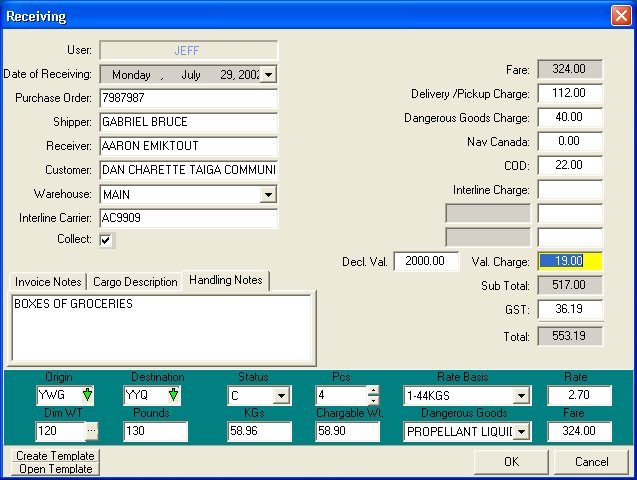
The process of recording a
receiving is fast and simple. As a result the time shippers spend at
the receiving desk is minimized. In addition, there are numerous short
cut tools to make the receiving/shipping process even faster.
Flexible Rate Structures
The Skyline Cargo System uses a
rate structure that can be easily customized to fit practically any
tariff structure. Rates can be specific to customer, origin,
destination, and category. These rates are automatically assigned at
time of receiving thus avoiding embarrassing/costly errors in
generating air waybills.
Live database of customer history – numerous reports to describe
shipping activity.
Live real time shipping reports
are available using various categories. When a customer calls to get
the status of his shipment, the information is available within
seconds.
Partial Shipments
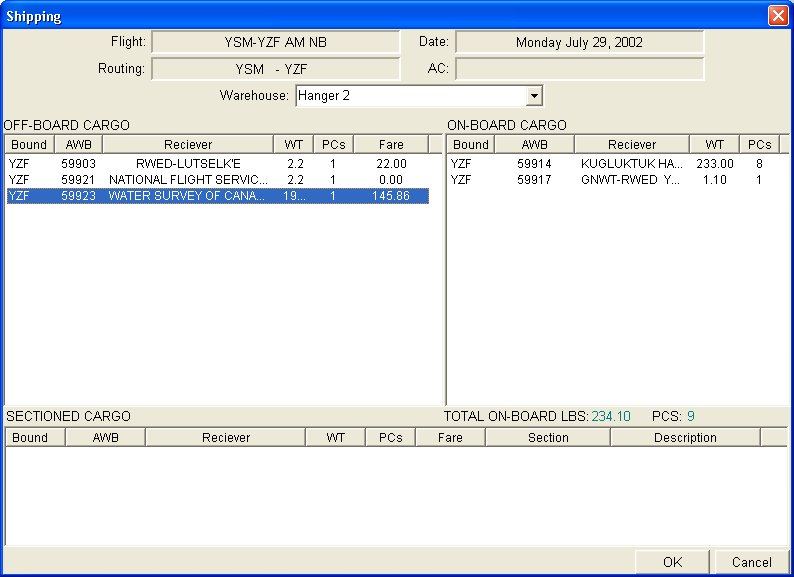
Skyline has the ability to
manage partial shipments. In many cases an entire receiving may be
split between numerous flights. Skyline manages this by warehousing
cargo and then using a loading function to actually move the cargo.
Load balancing between cargo and passengers
Skyline assists in maximizing
revenue on flights by providing tools to support loading decisions.
Transfer Stations
Sometimes Cargo will be
received to be sent to and from communities that are not serviced by a
single flight. The cargo must be transferred from one flight to a
different one to get it to the final destination.
Skyline manages this aspect of
shipping for the user. When a shipment bound for a transfer station is
loaded, it automatically appears in the transfer station warehouse
ready to be sent on the next stage of its journey.
Priority Cargo
Skyline reduces the risk of
missing a priority shipment over general cargo. A priority shipment
detail report is available during the shipment report. This report
displays all cargo that has been ear marked for a particular flight
ordered by its relative priority. i.e.: At the top of the list would
be confirmed cargo such as mail or medical supplies. At the bottom of
the list would be the stand-by or OCS cargo.
Dimensional Weights
Included in the main receiving
screen is a dimensional weight calculator. This tool assists users in
calculating bulk weights when applicable.
Cargo Insurance Calculator
Skyline will automatically
calculate the additional charges for declared values on shipments. The
formula used is customizable to match any airlines insurance charge
structure.
Cargo Templates
Skyline eliminates the need for
repetitive data entry by introducing cargo templates for commonly
performed tasks
Cargo Label Generator
There is no need to handwrite
cargo labels. Skyline will automatically generate professional looking
cargo labels with enough information to readily identify the shipment
at a glance.
|