|
Passenger Reservations and ticketing
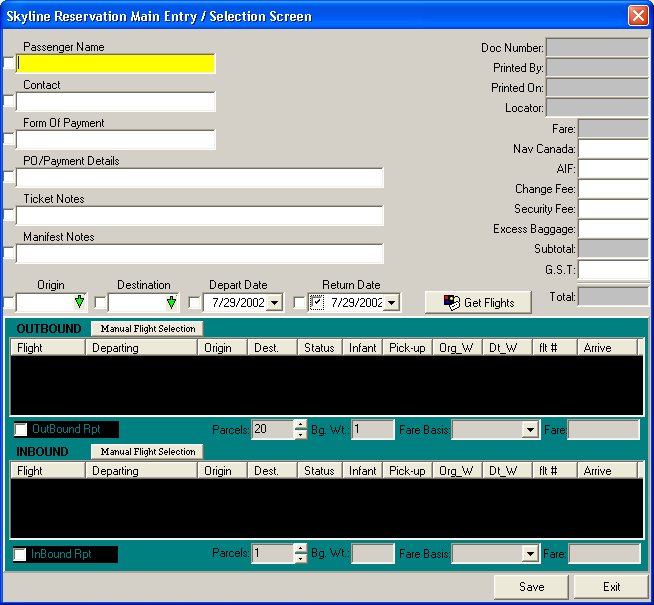
Skyline manages all aspects of the reservation. It will maintain this information for later reporting. It also assists users from making common mistakes such as double bookings, over selling a flight, or typing in passenger information incorrectly.
Designed for Canadian Operators
Skyline was designed to meet the requirements of Canadian airlines. As such it manages uniquely Canadian fields such as Nav Canada surcharges and GST correctly.
Integrated Excess Baggage System
Included in the Skyline system is a seamless method of managing excess baggage. Skyline automatically determines when excess baggage charges are applicable and creates the appropriate invoice. Once complete a receiving is automatically created and stored in the cargo management system for shipment when space is available.
Quick Data Entry System
The data entry screens have been optimized to make the time it takes to make a booking as brief as possible. This will translate to less time on hold for passengers trying to call in their reservation. There are numerous short cut keys available to the user to make the process even faster.
Multiple Bookings
Skyline allows the users to make group bookings very quickly using the repeat reservation function.
Manifest and weight and balance reports
Within the Skyline system numerous operational reports are available. The manifest planning report provides a quick way for doing load planning and scenario analysis. The manifest itself is typically customized to suit the airline’s operational requirements.
In-house messaging
Users of Skyline may send messages on passenger files to others by using the messaging system.
Automatic fare assignment and calculation
Skyline will automatically assign the most appropriate fare for a particular passengers travel. It does so using a fare priority system. In essence, Skyline attempts to assign the least expensive fare first. If the reservation is not eligible, then the next fare is tested.
Skyline allows airlines to use a wide number of fare rules for assignment which may be combined to represent the fare structure of most airlines.
This function reduces the possibility of error significantly as users do not typically need to know the fare rules.
For example, a few of the different rules for Skyline fare assignment include:
Advance notice – how far in advance must the passenger make the booking
Excursion
– Is the fare eligible for one-way travel or just returns?
Specific day of the week rules
– What day of the week is the fare available?
Block
seating limitations – Is the fare eligible for only the first X number of seats on the flight
Special
contract rates
for a specific customer making the booking. This is used if this fare only available to a select group of passengers.
Type of passenger (ie adult or Child)
Type of payment (ie cash or charge)
Specific flight restrictions
– It is possible for management to apply a flight by flight restriction. Ie. If a certain flight is filling very quickly, management may decide to limit the number of reduced tickets available.
Management of passenger schedules
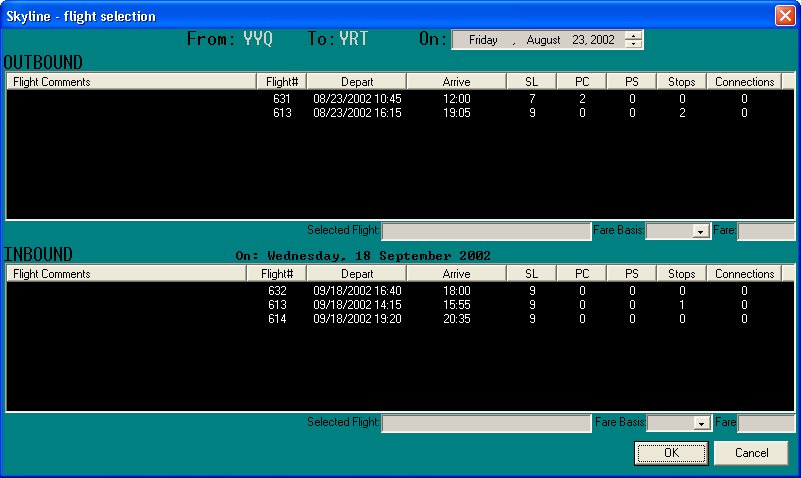
It is not necessary for the reservation agent to memorize the airlines schedule. All scheduling information is maintained, managed, and presented within the Skyline system. All a user needs to do is enter the origin, destination, and date then Skyline will present the appropriate options.
Automatic management of connecting flights
If a passenger must connect with different flights Skyline will alert the user appropriately
Passenger history
Once a passenger is entered into Skyline all of their travel history is maintained for later reporting. In addition, reports are available to display information on other fields such as customer travel, route utilization, or community traffic. For further examples of reports refer to the statistics product.
|